

Digital LCD Ph Meter Pen Tester Accuracy 0.1 Aquarium Pool Water Wine Urine Automatic Calibration
Product details
| Management number | 210900670 | Release Date | 2026/04/04 | List Price | $11.90 | Model Number | 210900670 | ||
|---|---|---|---|---|---|---|---|---|---|
| Category | |||||||||
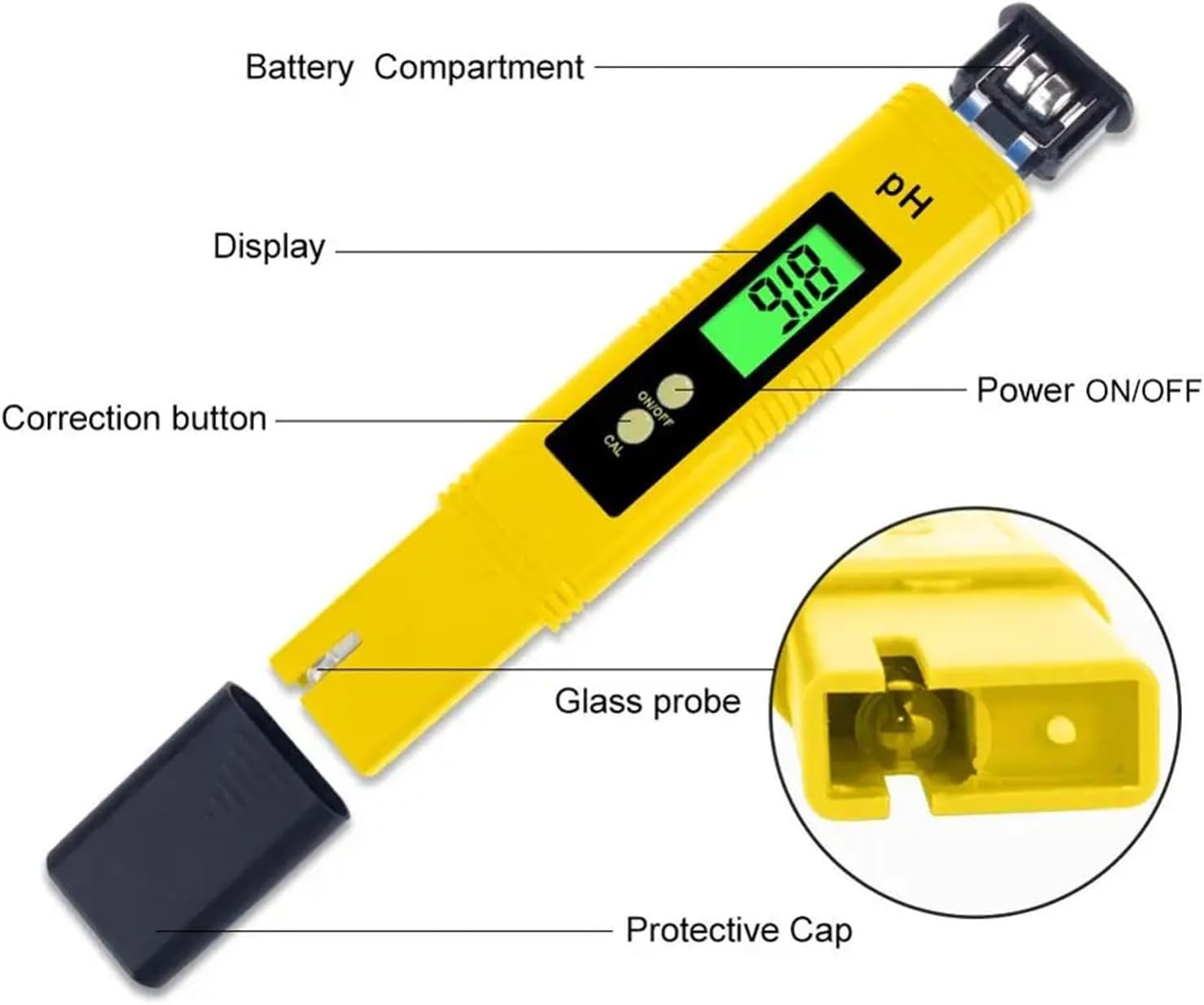
Ph-02 meter with backlightproduct descriptionKey Features:Display: LCD DigitalAccuracy: 0.01Resolution: 0.01Operating Temperature: 0~60°CMeasuring Range: 0.00~14.00Probe Type: Precision glass bulb electrodeEasy to Use: Simply immerse the pH meter electrode in the solution to be tested, readings are quickly display on a large lcd displayWide Application: Ideal instrument for any aquarium, the fishing industry, swimming pools, spa, school laboratories, food & beverage drinking water etcAuto Calibrated Features inbuilt calibration with 2 buffer powders(included).Just press a button to finish the calibration. Fast and Accurate Results: No need to work with those annoying color charts and test strips.Resolution: 0.01 pH, Accuracy: ±0.01 pHCompact Portable Design: Pocket fitting pH meter that's also lightweight and compact. Total concealed fit in your bag or pocket for easy, casual carrying.How to operation and calibration?1.Remove protective cap.2.First rinse the electrode with distilled water and suck it with filter paper.3.Turn the meter on by pressing "ON/OFF" key.4.Immerse the pH meter electrode in the solution to be tested (should not be over the immersion line).5.Stir gently and wait around 30 seconds till the reading stabilizes.6.After finishing, clear the electrode with pure water, turn the meter off by pressing "ON/OFF" key.7.Always replace the protective cap after use.1.Turn on PH meter2.Disolve each buffer solution in 250ML of distilled water3.Immerse the electrode into the PH 6.86 solution,(under the temperature of 25)4.Press the "CAL"(calibration)button for 5 seconds and release-Display will start flashing 6.86-Wait until the display stops flashing.Rinse the electrode with distilled water and dry it with filter paper.5.Immerse the electrode in PH 4.00 solution,-Press"CAL"button for 5 seconds,then press and release immediately second time-Reading will start flashing 4.00-Wait until display stops flashingRinse and dry the electrode with distilled water as before.6.Place the meter back to the buffer solution to test calibration.If incorrect,please repeat the calibration7.If approximate PH of your test solution is known to be above 7.0,calibrate the meter using 6.86 and 9.18 solution. To do this,please follow the calibration chart,The third step is the calibration method for 9.18 point.Is Smart Device : NoModel Number : TPH01605FWith Backlight Or Not : YesCorrection type : Automatic correctionplastic box : included
- BQHHWTZ Digital Lcd Ph Meter Pen Tester Accuracy 0.1 Aquarium Pool Water Wine Urine Automatic Calibration
| Item Weight | 1.76 ounces |
|---|---|
| Manufacturer | BQHHWTZ |
| Item model number | BQHHWTZ |
| Product Dimensions | 0.39 x 0.39 x 0.39 inches |



Correction of product information
If you notice any omissions or errors in the product information on this page, please use the correction request form below.
Correction Request Form