
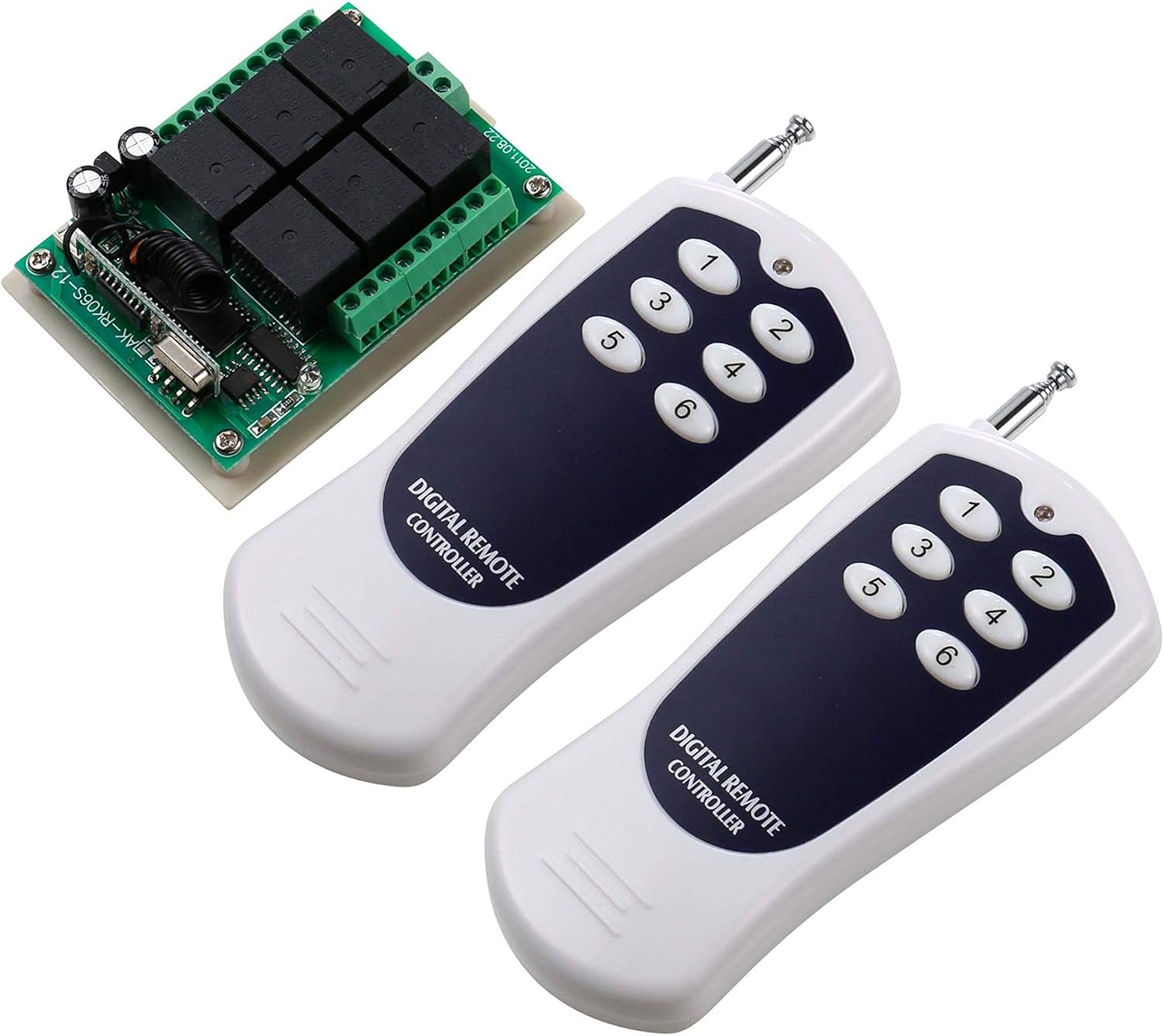
UHPPOTE 12VDC 433mhz 6 Channel Wireless Remote Control Switch Receiver with 2 Transmitter
Product details
| Management number | 209955681 | Release Date | 2026/04/02 | List Price | $11.64 | Model Number | 209955681 | ||
|---|---|---|---|---|---|---|---|---|---|
| Category | |||||||||
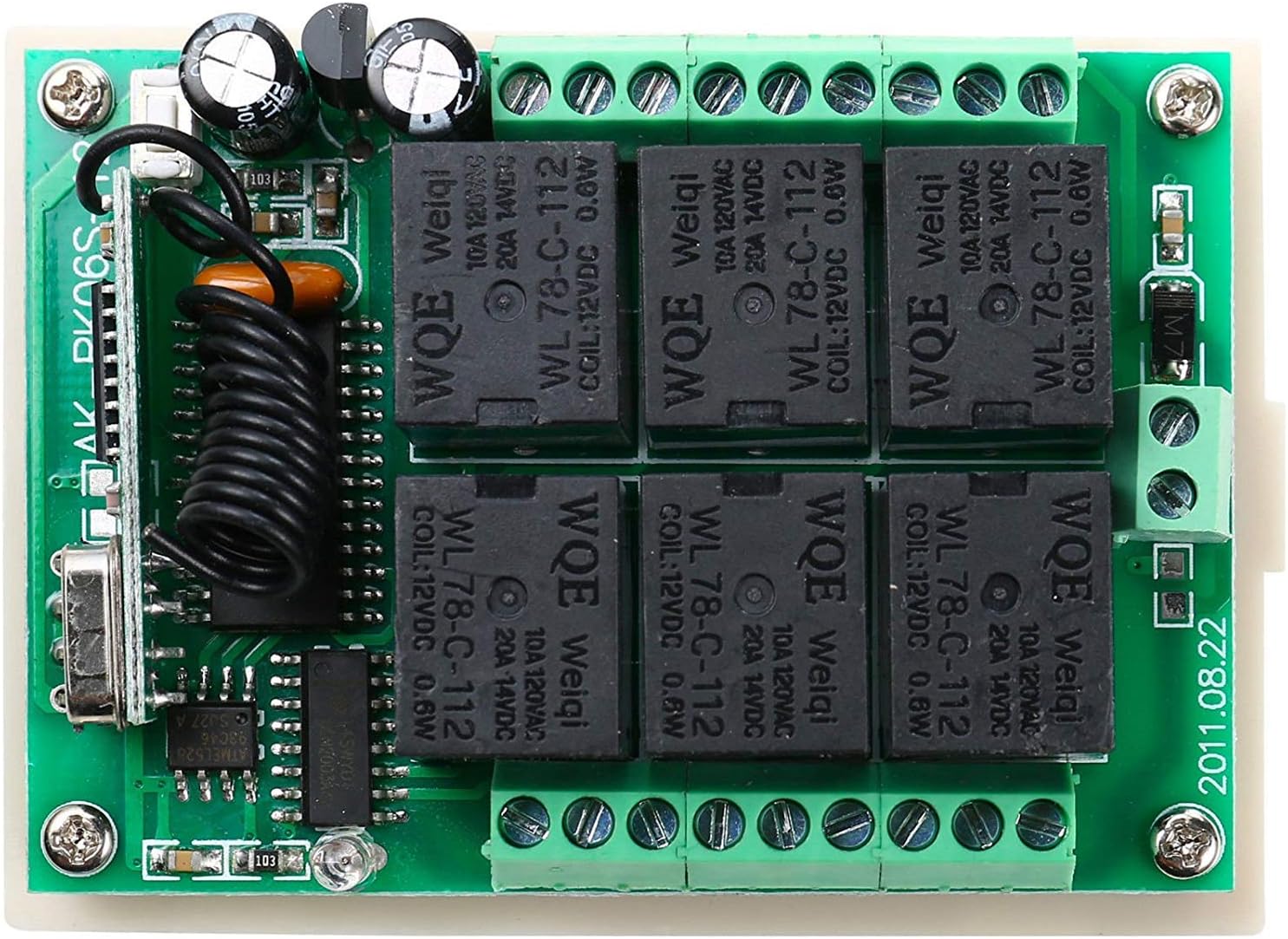
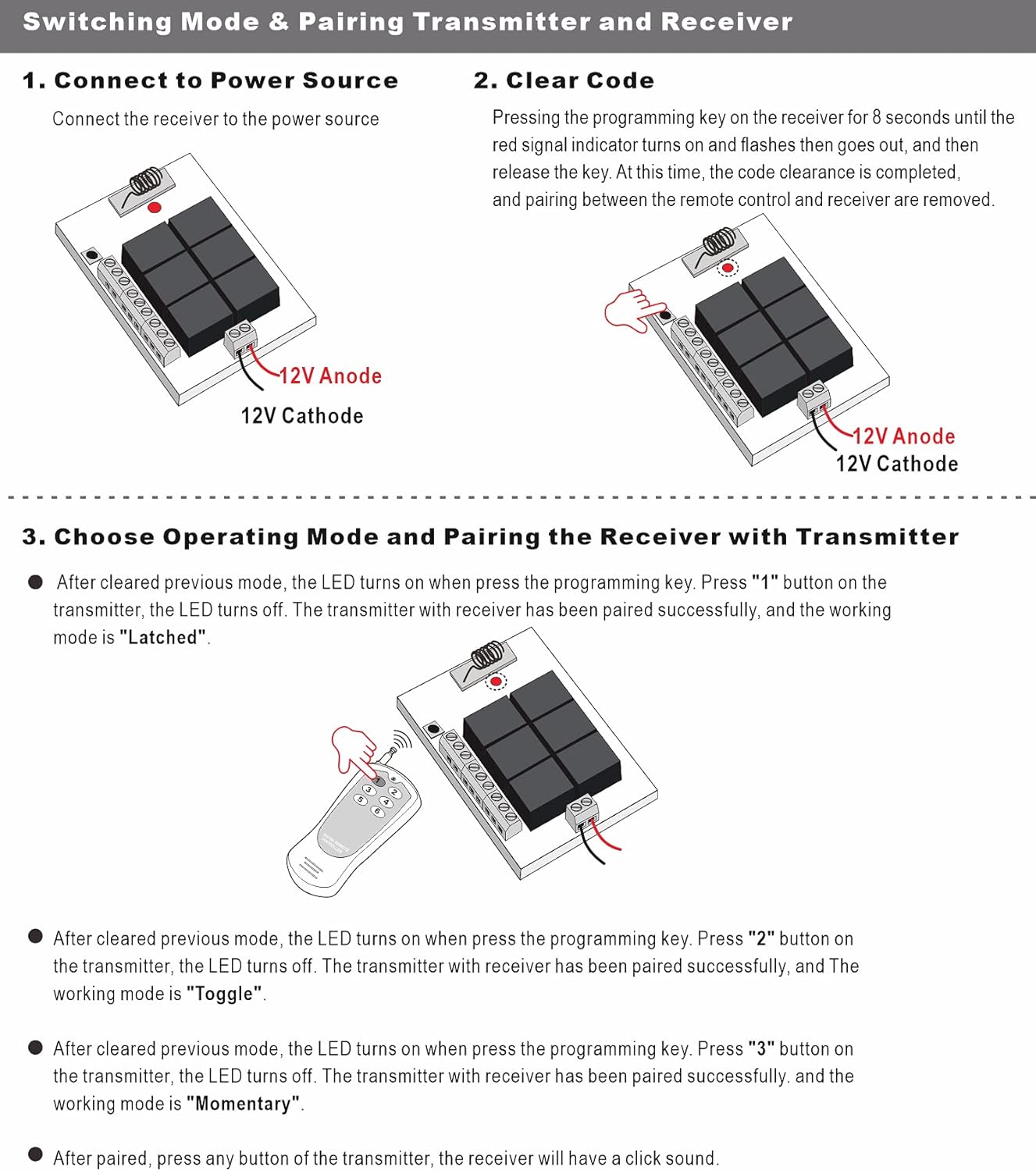
Receiver: Model No.: AK-RK06S-12 Channel: 6CH Radio Frequency: 433MHZ Operating Voltage: DC12V Coding Type: Learning code Maximum Working Current: 10A Output Mode: Without voltage output (also called Contact output) Step-down approach: resistance-capacitance (RC) Transmitter: Buttons: 6 Buttons Working Voltage: DC12V Remote Control Distance: 150m/492ft Encode: Fixed code by soldering and learning code Operating Mode: JOG: Single relay will stay on only as long as corresponding remote key is pressed. Self-locking: Press corresponding key for on, press same key again for off, each relay independently. Interlock: For each relay: press corresponding key for on (all others off). Program Mode in: After cleared previous mode, the LED turns on when press the programming key, press “3” button on the transmitter, the LED turns off, the transmitter with receiver has been paired successfully. The working mode is “Self-locking”. After cleared previous mode, the LED turns on when press the programming key, press “2” button on the transmitter, the LED turns off, the transmitter with receiver has been paired successfully. The working mode is “Interlock” After cleared previous mode, the LED turns on when press the programming key, press “1” button on the transmitter, the LED turns off, the transmitter with receiver has been paired successfully. The working mode is “JOG”. Reprogram: Hold the button down (about 3 sec.) until the LED lights up, then push a button on the transmitter. You should see the LED flash rapidly to show that it is accepting the signal. Release the button and you are finish link transmitter with receiver. Package: 1 x Receiver 2 x Transmitter 2 x Battery for transmitter
- Six channels of output, the output can be independent, but also jog and interlocked
- Suitable for lights, electrically operated doors, windows, curtains, etc.
- Learning type can be paired with more than one control
- Adopting larger capacity relay, can control electrical equipment of more than 1000W
- You can turn on/off the receiver with transmitter (remote control) from any place within a reliable distance; the wireless RF signal can pass through walls, floors and doors.
| Voltage | 12 Volts |
|---|---|
| Manufacturer | UHPPOTE |
| Power Source | DC |
| Product Dimensions | 2.68 x 1.89 x 0.63 inches |
| Warranty Description | 3 Year Warranty |


Correction of product information
If you notice any omissions or errors in the product information on this page, please use the correction request form below.
Correction Request Form